

Farm management system
Farmstead powered by AvlingAI
The home place for every field: boundaries, machine data, soil tests and plans in one place, with every other module plugged in.
What it does for you
- Drop in a folder of machine files from any monitor; Farmstead works out the format, cleans it and files it to the right field
- Keeps every attribute a machine file carries, including the channels other systems drop
- Yield calibrated against real scale tickets and moistures
- Check fields out to a machine, work without signal and sync when you are back in range
- One set of field boundaries that every AvlingAI module works from
 Stock and Stubble
 Calibrate
 Fertility Engine
 Advanced Scripting
 Year-End Report
Walkthrough
How it works, step by step.
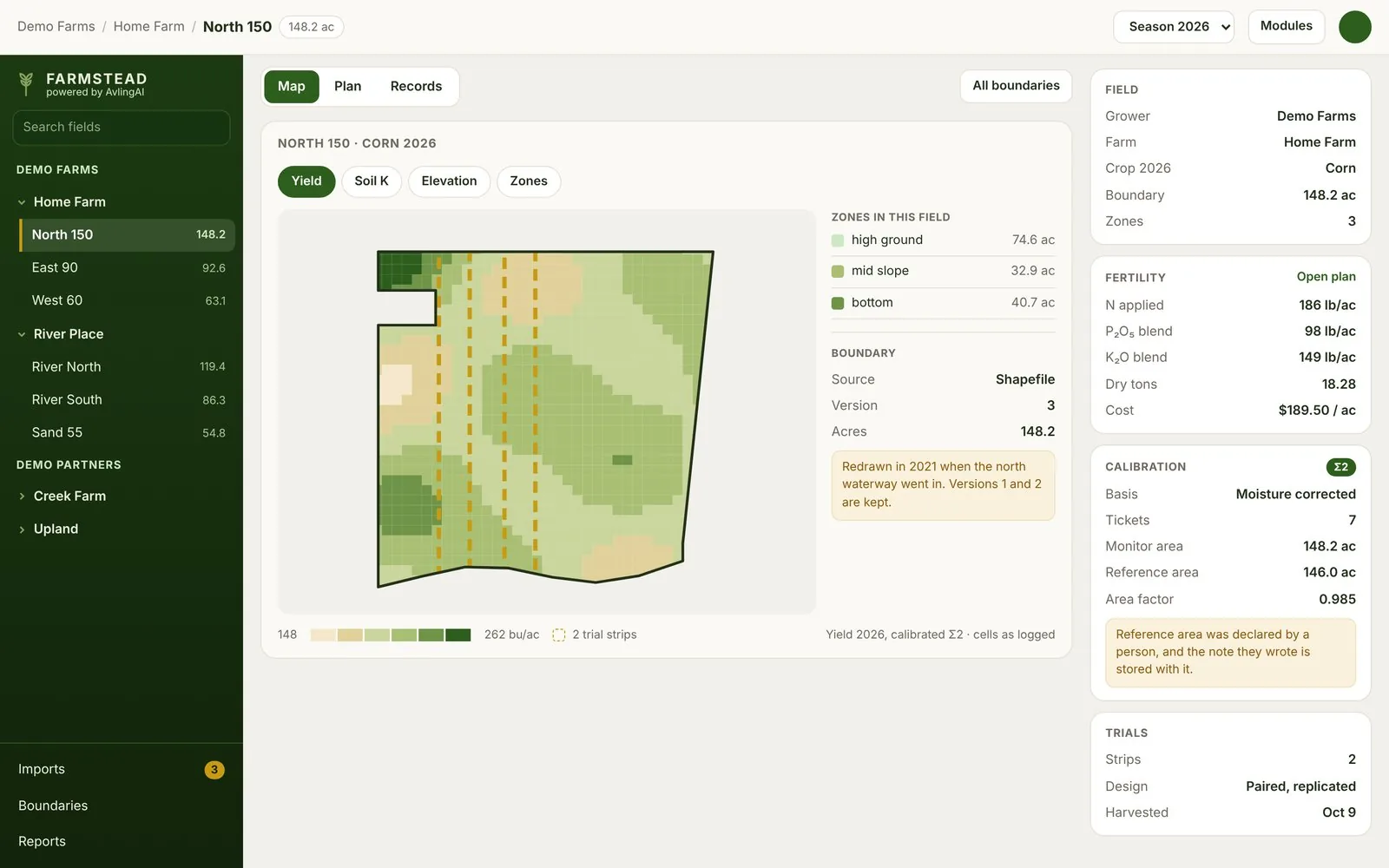
Shown from the Farmstead prototype with demo fields. Names are blanked out.
STEP 1
Every field, every layer, one place
Pick a field and see its yield, soil, elevation and zones on the map, with the boundary, fertility, calibration and trials alongside.
STEP 2
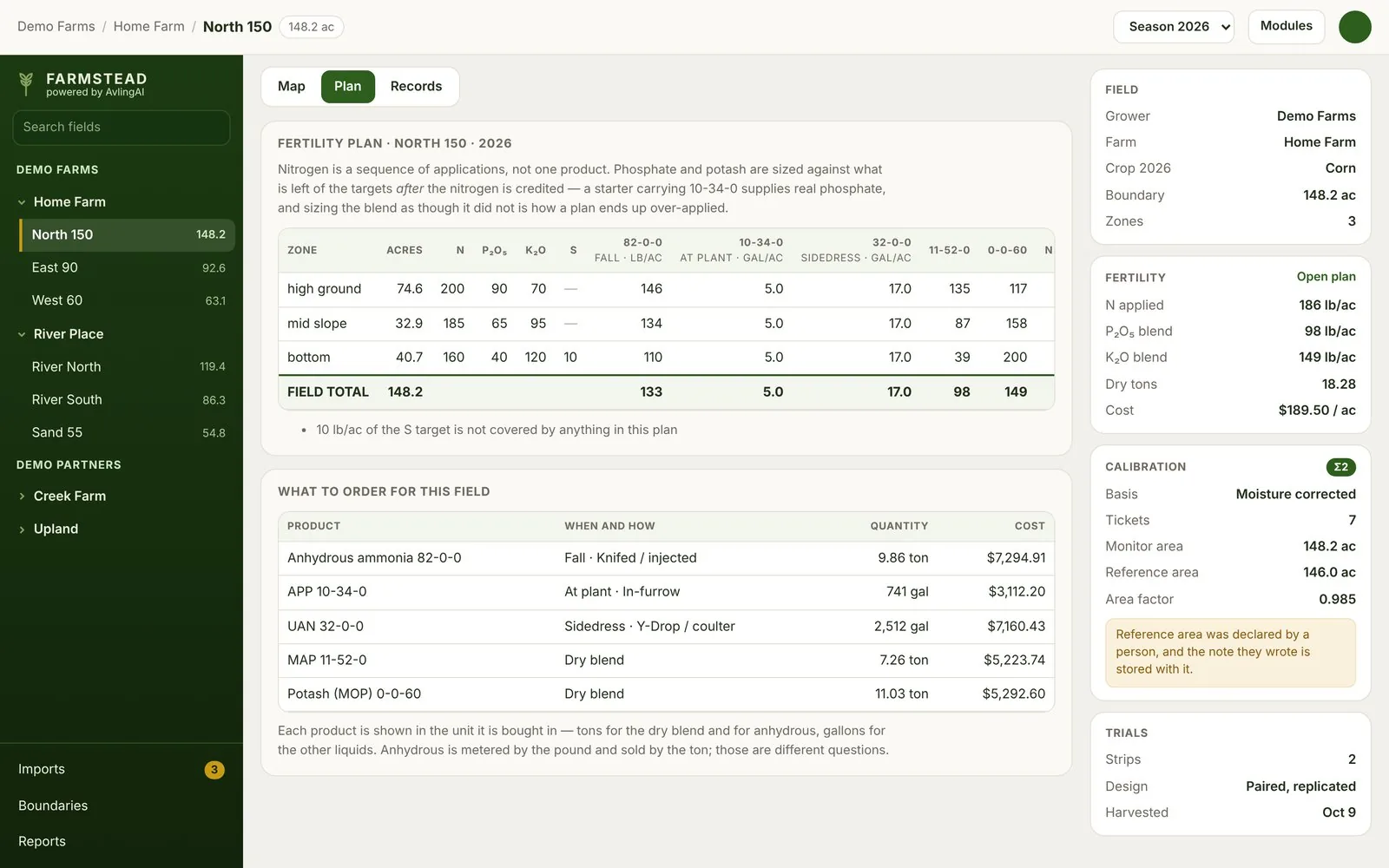
The plan and what to order
The fertility plan zone by zone, in N-P-K order, and the order list that comes out of it, in the units each product is bought in.
STEP 3
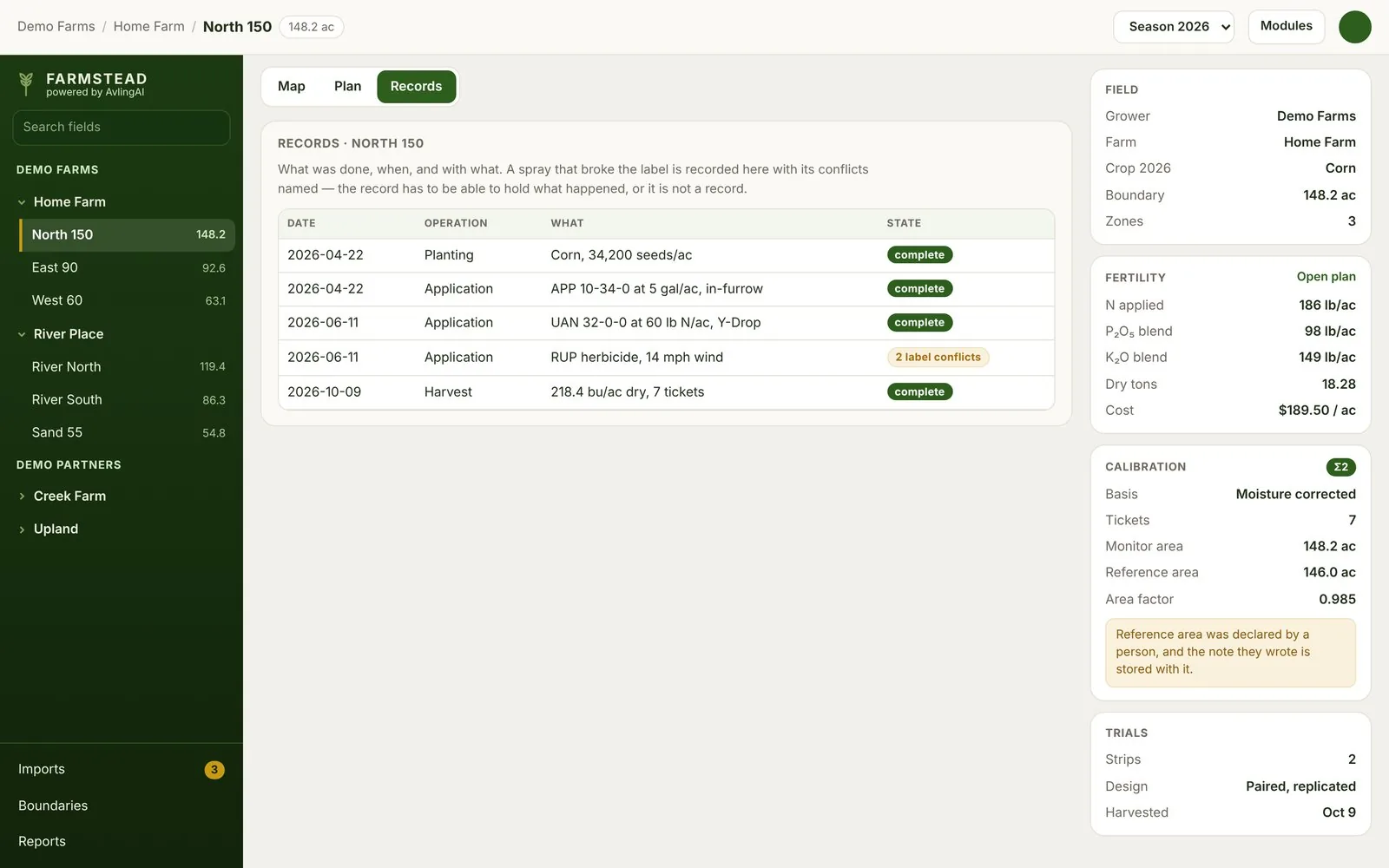
What was done, and when
Planting, applications and harvest kept as one record per field, with label conflicts flagged where a pass broke the label.
STEP 4
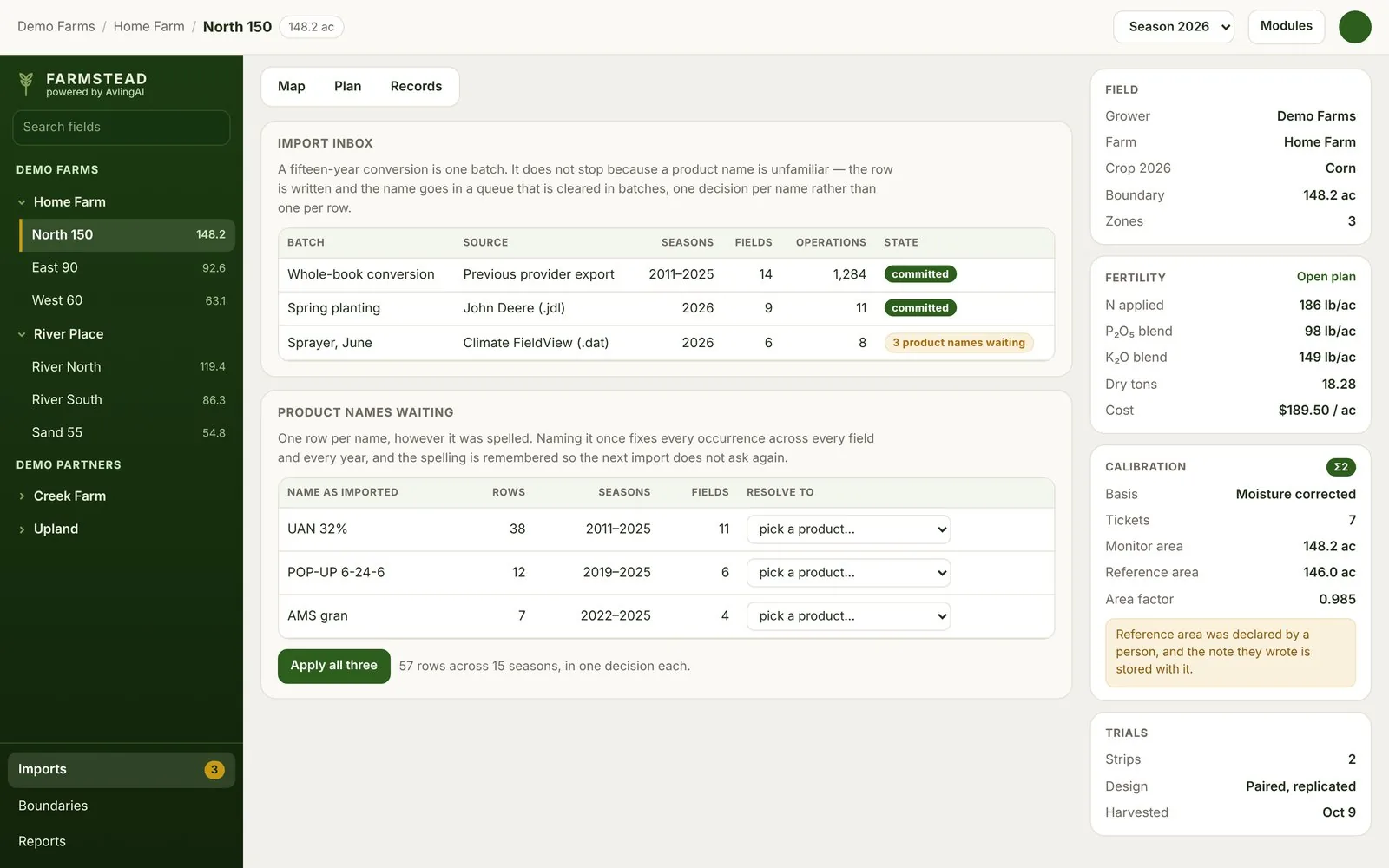
Years of files in one batch
Bring in history from other software and machine files in one go. Unfamiliar product names wait in a queue and are named once for every field and year.
STEP 5
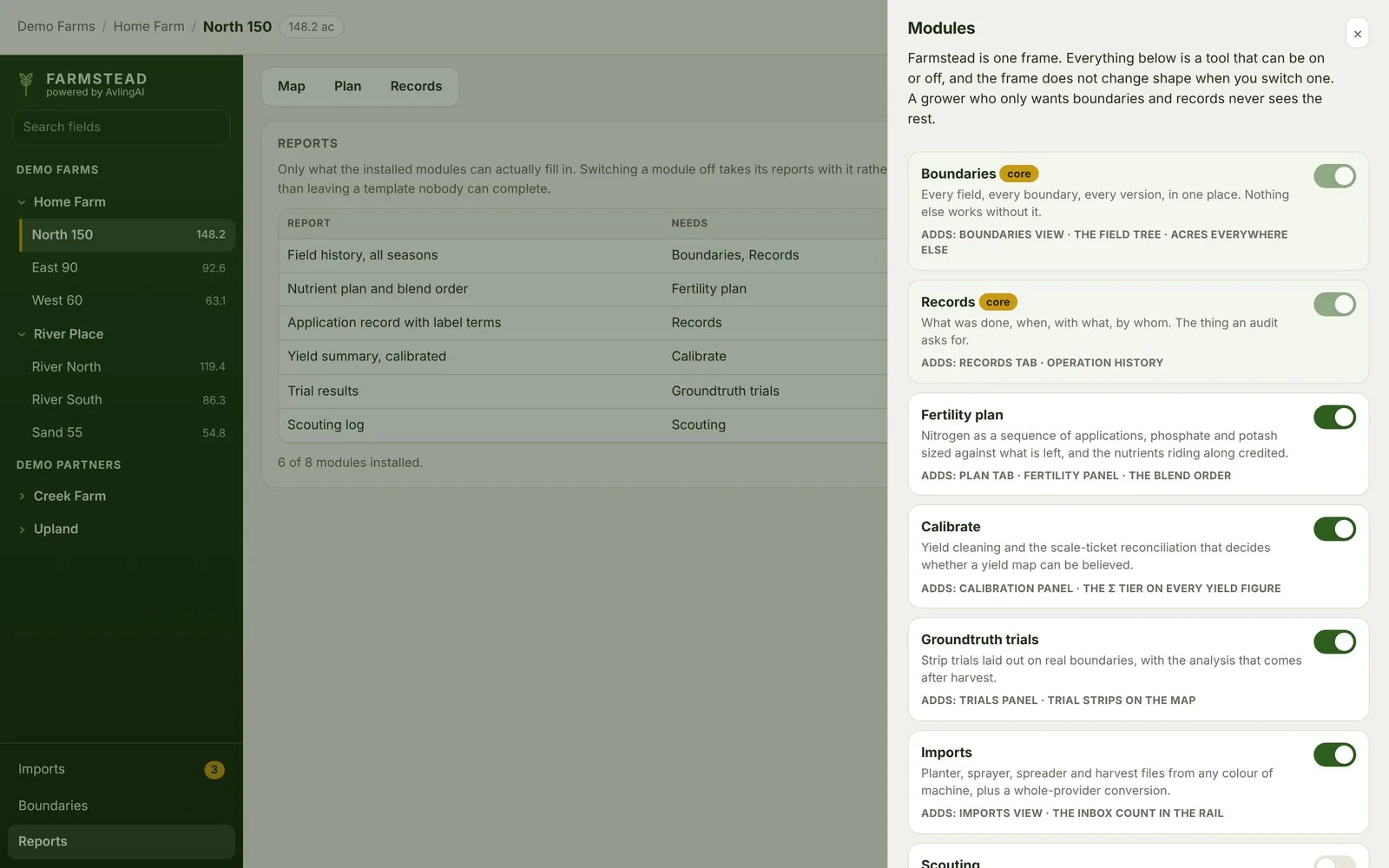
Turn on only what you need
Boundaries and records are the core. Every other tool switches on or off without changing the frame or losing data.
Want to see Farmstead on your acres?
Talk with us
Ask Nubbin
powered by AvlingAI
Howdy. I'm Nubbin. Ask me what any AvlingAI module does, which one fits your work, or how to get started.