

Product-identity backbone
Pedigree powered by AvlingAI
Every U.S.-sold corn, soybean and wheat product, plus your own lineup and seeding rates.
What it does for you
- One entry per trait and version, with stored copies of sales and tech sheets
- Ratings kept on each company’s own scale, normalized only where a real better/worse exists
- Your lineup: the products you actually sell, by season and trade area
- Your own seeding rate ranges by product, trade area and productivity (NCCPI), laid over the company’s published guidance, which stays readable beside them
- A field-specific flat rate built from Avling’s productivity layers: each band’s midpoint weighted by that field’s own acres
- Several dealers serving one farm each see their own lineup and rates, on one shared set of boundaries
- Every rate says which range it came from; feeds the year-end report now and variable-rate seeding next
Works with
 Scalehouse
 Groundtruth
 Foundations
Walkthrough
How it works, step by step.
Ratings as published by each seed company.
STEP 1
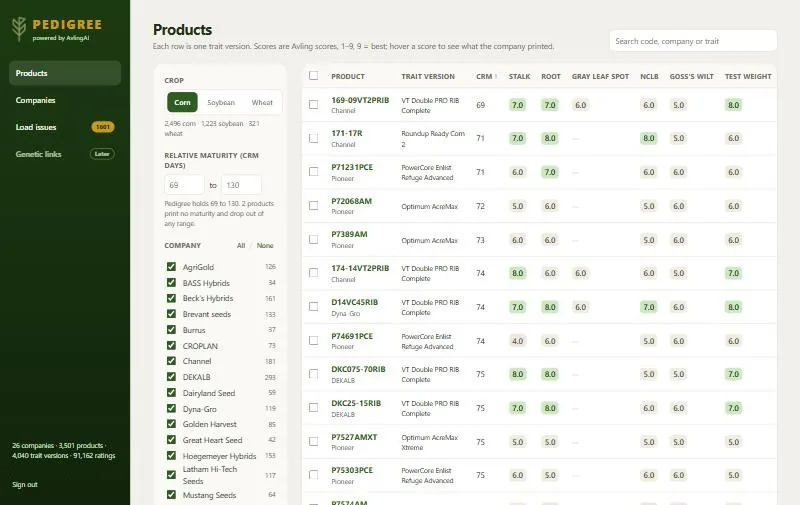
Every product in one list
Filter by crop, maturity and company. Each row is one trait version, scored on a common 1 to 9 scale so products from different companies line up.
STEP 2
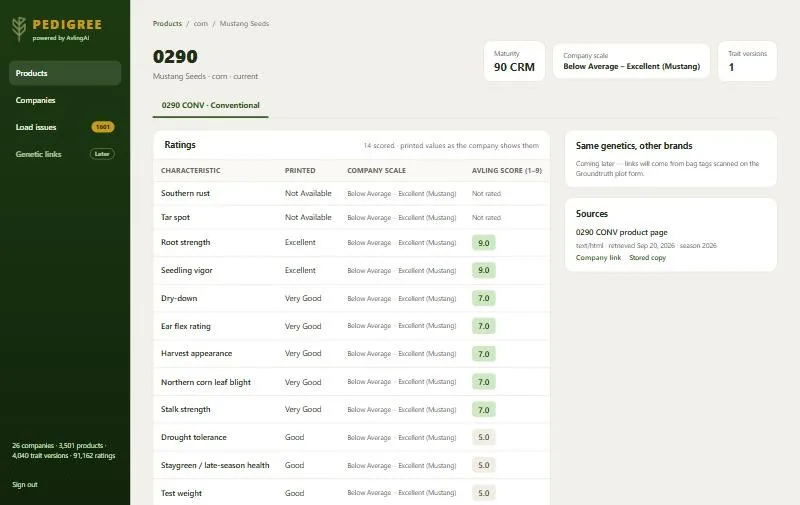
What the company printed, and what it means
Open a product to see each rating as the company printed it, on the company’s own scale, next to the Avling score, with the source sheet saved.
STEP 3
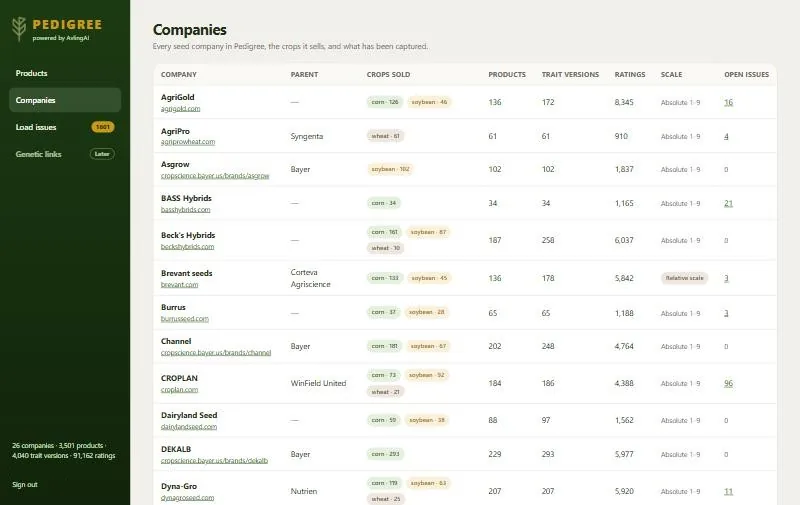
Every seed company at a glance
See each company, who owns it, the crops it sells and how much of its lineup has been captured.
Want to see Pedigree on your acres?
Talk with us
Ask Nubbin
powered by AvlingAI
Howdy. I'm Nubbin. Ask me what any AvlingAI module does, which one fits your work, or how to get started.